On this page
Contact usAccount and sign-inPurchases and refundsGame problemsReports and safetyPrivacy and dataCompany detailsGetting startedHome screenKiller rulesShooting and controlsGame modesCoins, gems and rewardsShop and eventFriends, chat and safetySettings and soundManaging your accountTroubleshootingAccount and sign-in
Password, verification email, Google/Apple sign-in.
Purchases and refunds
Gems didn’t arrive, refunds, receipts.
Game problems
Connection, performance, bug reports.
Reports and safety
Report a player, block, abuse.
Privacy and data
My data, deletion, my rights.
Help center
Rules, controls, guide with screenshots.
Contact us
Email is the fastest way: contact@killerpool3d.com. We usually reply within 2 business days, and within 5 business days at the latest in busy periods. A message sent from Profile → Account → Contact us in the app is linked to your account, which makes it easier for us to help.
Please include this so we can solve it faster
- Your username (never your password; nobody will ask you for it)
- Device and version (e.g. iPhone 15, iOS 18 / Pixel 8, Android 15 / Chrome)
- What happened, when, and a screenshot of any error message
- For purchase issues: order time, amount and store (App Store, Google Play, web)
Account and sign-in
I forgot my password
Tap Forgot password on the sign-in screen and enter your email. A reset link goes to your verified address; it is valid for a short time and only the latest link works.
No verification email
Check your spam folder. If it still doesn’t arrive, try signing in; an unverified account gets a fresh link (with a short cool-down). If you mistyped the address at sign-up, unverified registrations are removed after 48 hours; sign up again.
Signing in with username or email
Type either one in the sign-in field. It is not case sensitive.
Google sign-in doesn’t work
Make sure the right Google account is selected on your device, update the app and try again. If it persists, send a screenshot of the error.
I lost my guest account
Guest accounts live on that device only; deleting the app or signing out loses access. To keep your progress, tap Save to create a permanent account.
My account is suspended
We may restrict accounts that break the rules. If you think this is a mistake, email us with your username; we review your request and reply.
How do I delete my account?
See Delete account for step-by-step instructions with screenshots.
Purchases and refunds
Gems are bought through the Apple App Store or Google Play in the apps and through Stripe on the web. Your payment details (such as card numbers) never reach us; the relevant platform processes the payment.
| Where did you buy? | How to request a refund |
|---|---|
| App Store (iPhone/iPad) | Apple handles refunds: request one at reportaproblem.apple.com. |
| Google Play (Android) | In the Play Store use Account → Payments & subscriptions → Budget & history, or the Google Play refund page. |
| Web (Stripe) | Email contact@killerpool3d.com with the order details; we assess your request under your statutory rights. |
- If gems didn’t arrive, restart the app first; if they are still missing, write to us and we will check the purchase record and add the missing gems.
- If a store refund is approved, the related gems may be deducted from your account.
- Gems and skins are virtual digital items; they can’t be transferred or cashed out. Details: Terms of Use.
Game problems
I lost connection
Your seat stays until your turn. Come back quickly and tap Continue game. If it keeps happening, switch between Wi-Fi and mobile data.
The game is slow or freezes
Lower the graphics quality in Settings, close background apps and restart your device. Make sure you are on the latest version.
No sound or bad sound
Check that effects and music are on in Settings. On iPhone check the silent switch and media volume. Update the app.
I found a bug
Tell us what you did, your device and a screenshot at contact@killerpool3d.com. In the app you can also use Profile → Account → Contact us → “Bug report”.
Supported devices
iPhone/iPad (current iOS), Android 7.0+ and modern browsers. 3D needs WebGL.
Reports and safety
To keep Killer Pool 3D safe, chat is only available between mutual friends and only in the lobby; usernames and messages are automatically filtered for inappropriate content.
- Report: from the player card or the chat menu. For a reported message, the message and the few before it are sent to us for moderator review.
- Block: from the player card or the chat menu; a blocked player can’t send you requests, invites or messages. Blocking is silent.
- Emergencies / abuse: if a child is at risk, or you see threats or illegal content, email contact@killerpool3d.com right away with “URGENT” in the subject. If someone is in immediate danger, call your local emergency number (e.g. 112, 999, 911).
Privacy and data
- How data is processed: Privacy Policy
- Delete your account and data: Delete account
- A copy of my data, corrections, objections: write to contact@killerpool3d.com; we verify your identity and reply within the legal time limit.
Company details
- Service provider
- BENNIX LIMITED
- Company number
- 17292413 (England and Wales)
- Registered office
- 71-75 Shelton Street, Covent Garden, London WC2H 9JQ, United Kingdom
- Product
- Killer Pool 3D (iOS, Android, web)
- Contact
- contact@killerpool3d.com
- Web
- killerpool3d.com
Getting started
Killer Pool 3D is an online 3D pool game where the last player standing wins. It runs on iPhone, iPad, Android and in your browser, with the same account everywhere. This guide walks you through the game with real screenshots, from your first launch to winning a table and managing your account.
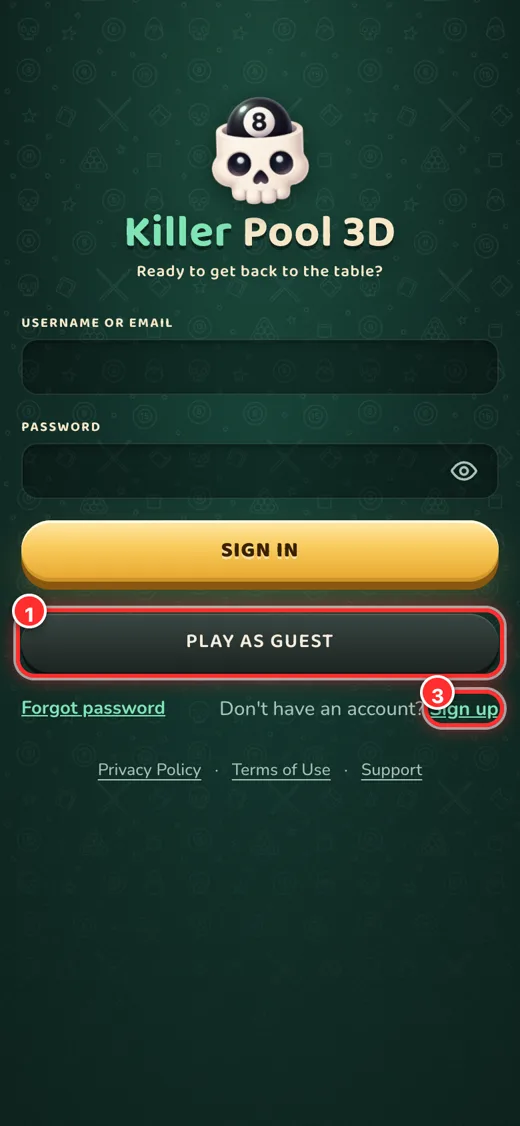
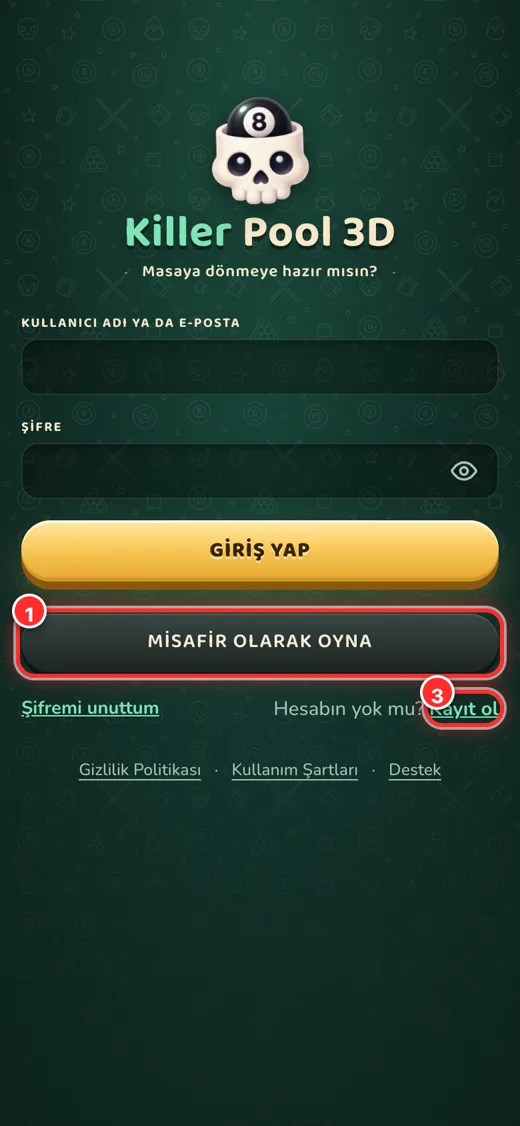
How do I sign in?
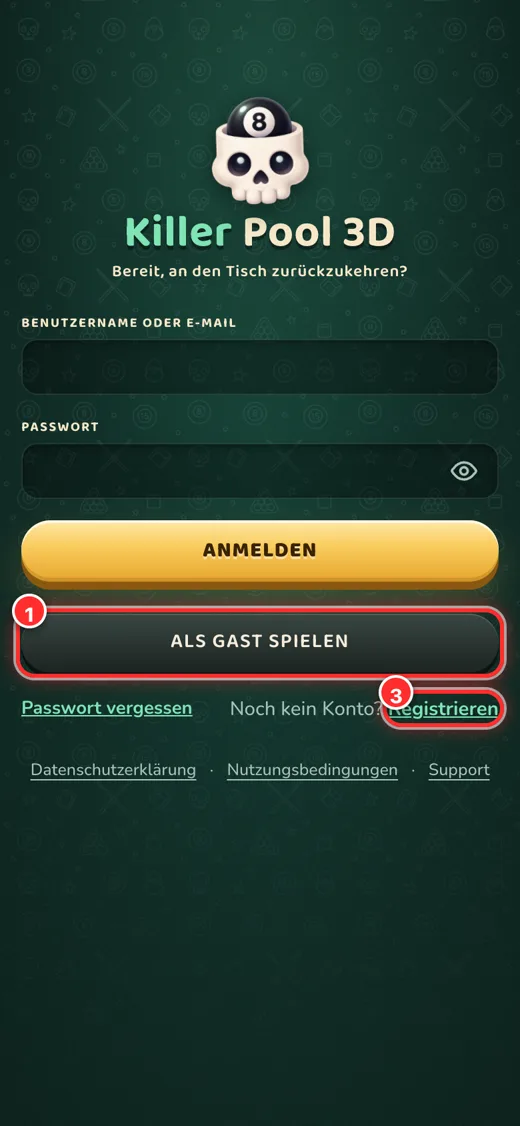
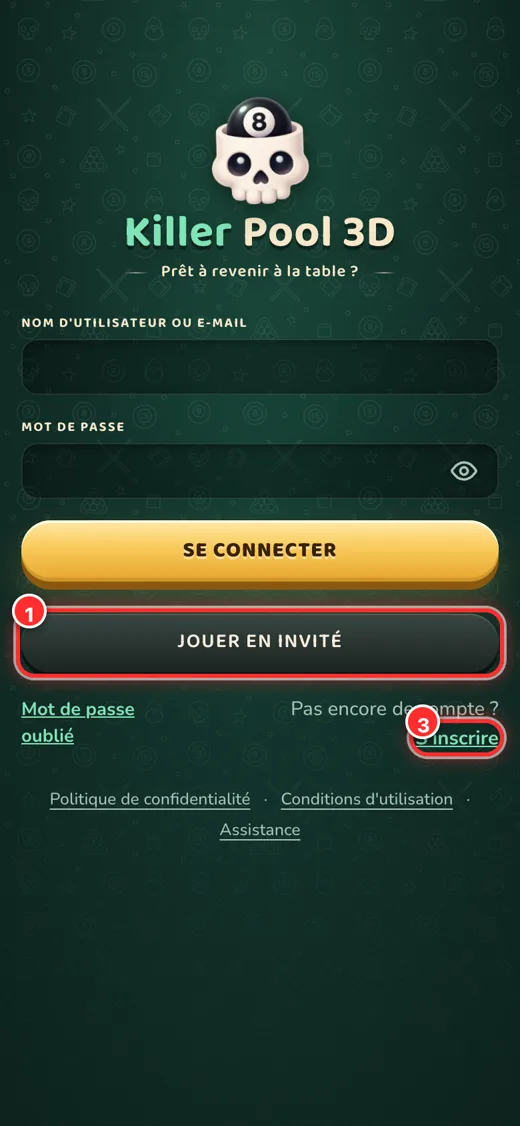
- Play as guest: jump in without signing up. Progress is stored on this device only; you can turn it into a permanent account later with “Save”.
- Google: one-tap sign-in with your Google account (on iOS, Sign in with Apple is also available).
- Sign up: create an account with a username, password and email. We send a verification link; tap it to activate your account.
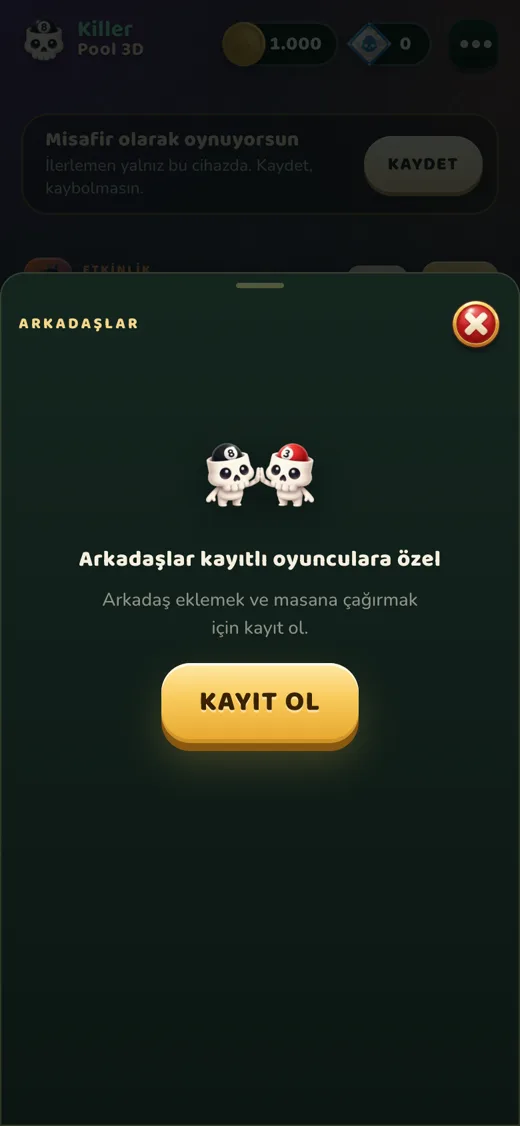
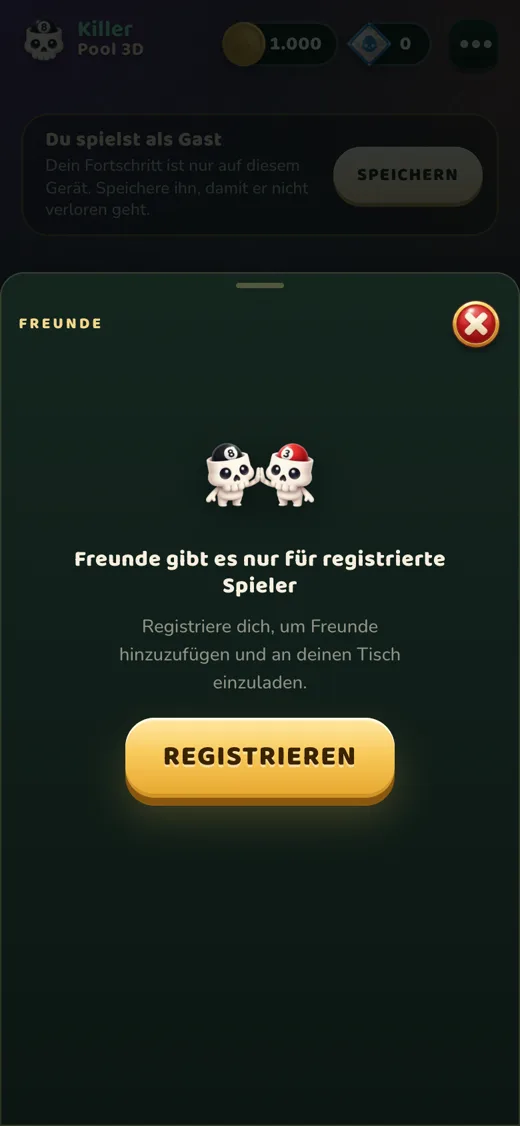
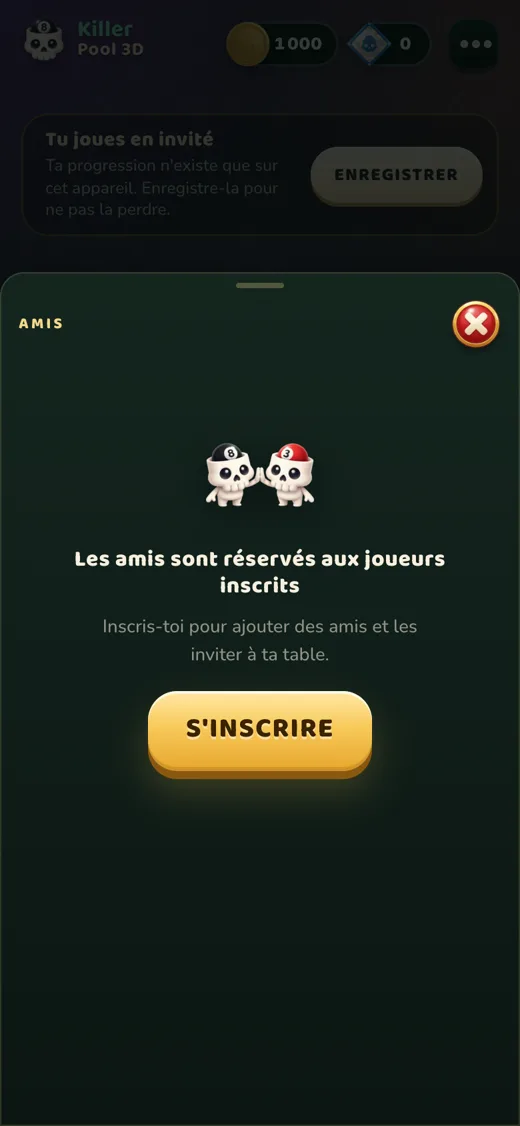
Guest accounts have no friend list, daily gift, event rewards or purchases; when you sign up they all unlock and your progress is kept.
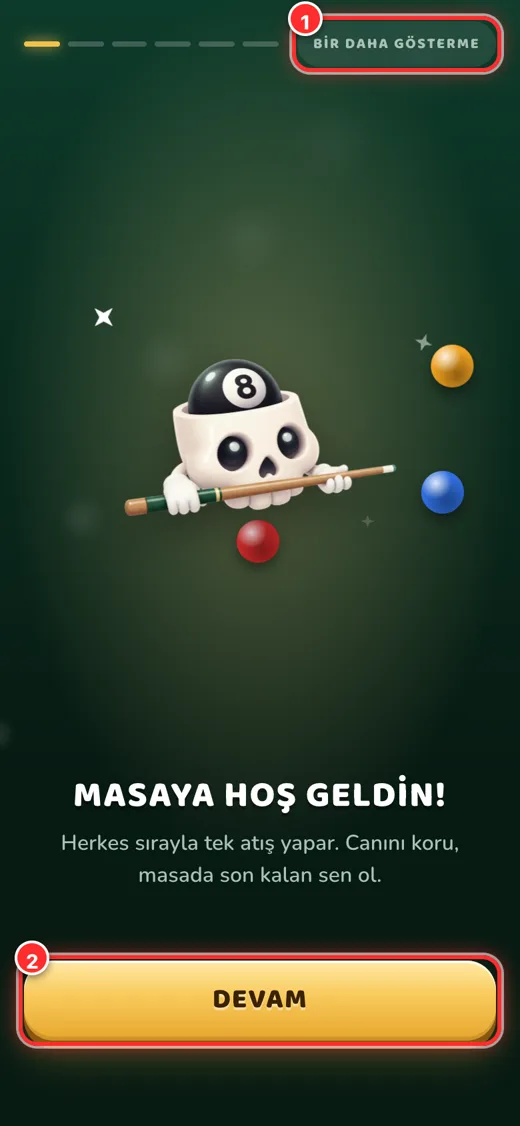
Tutorial
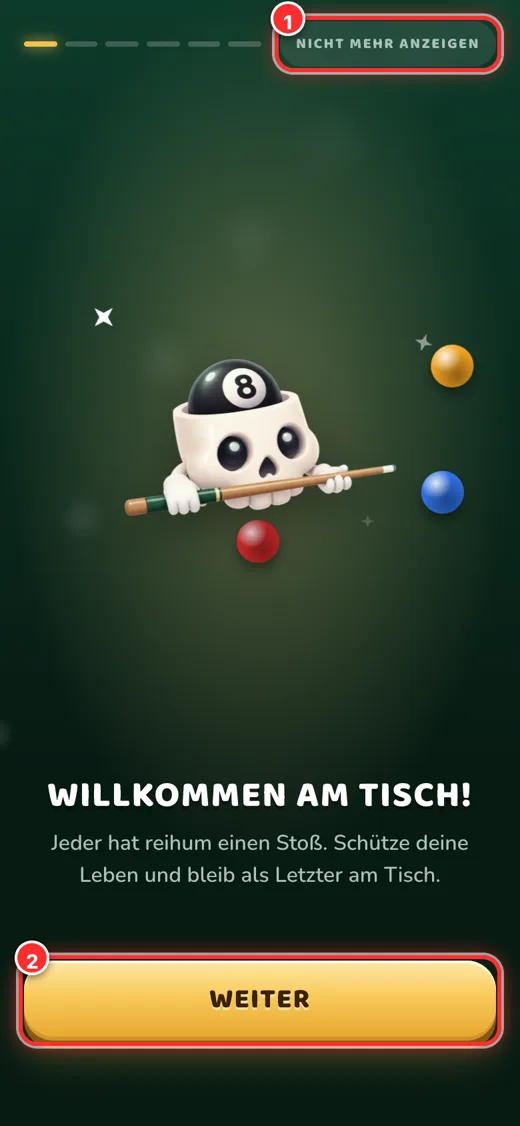
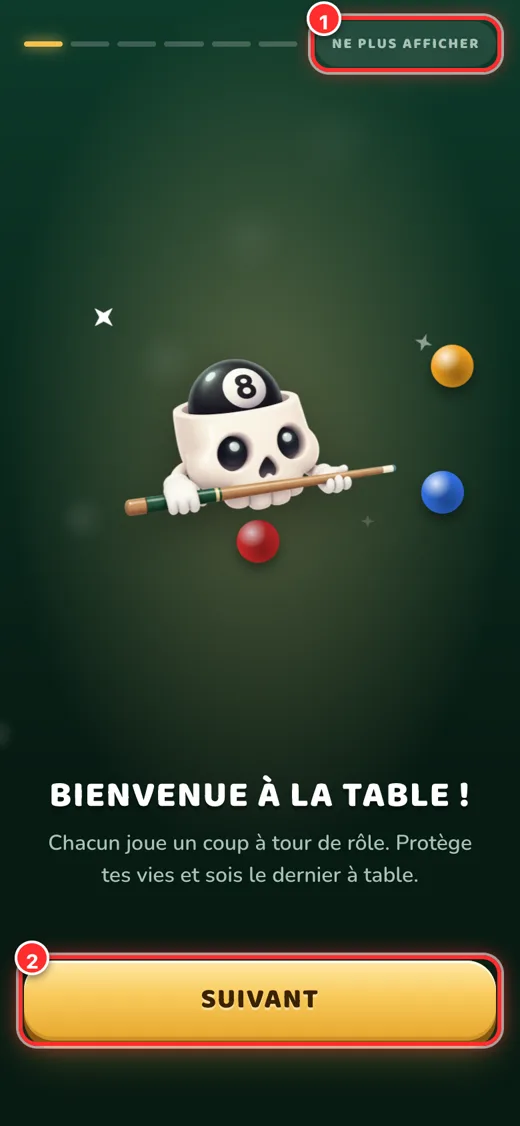
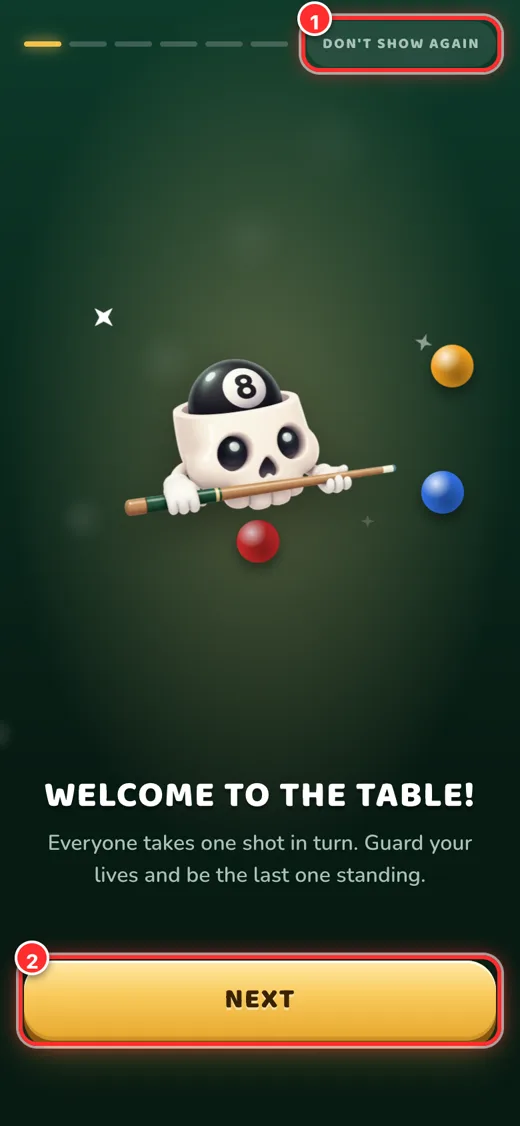
The first time you sign in, the rules and controls are explained in 6 short pages. You can skip with “Don’t show again” and replay it later from Menu → Settings.
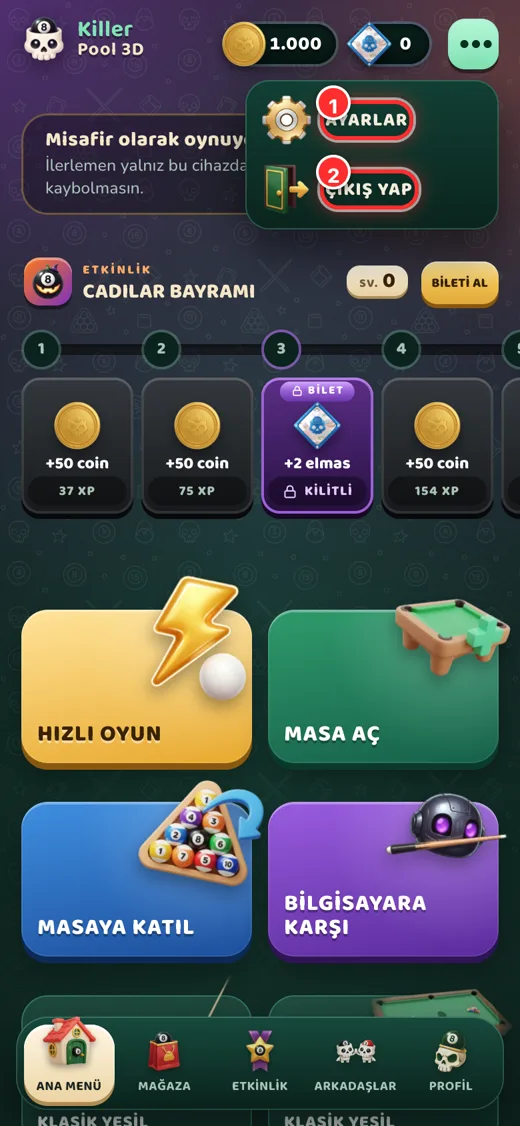
Home screen
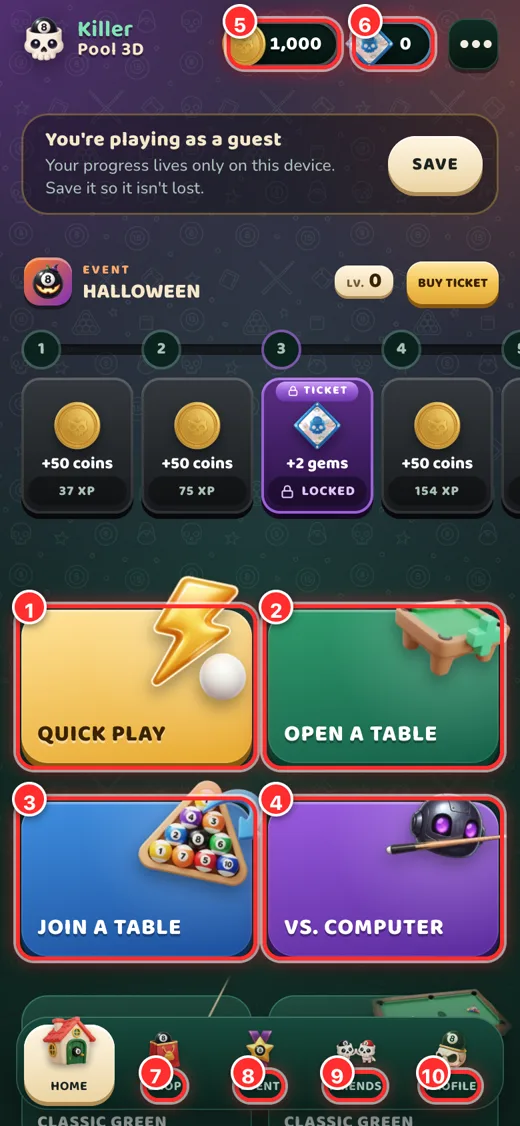
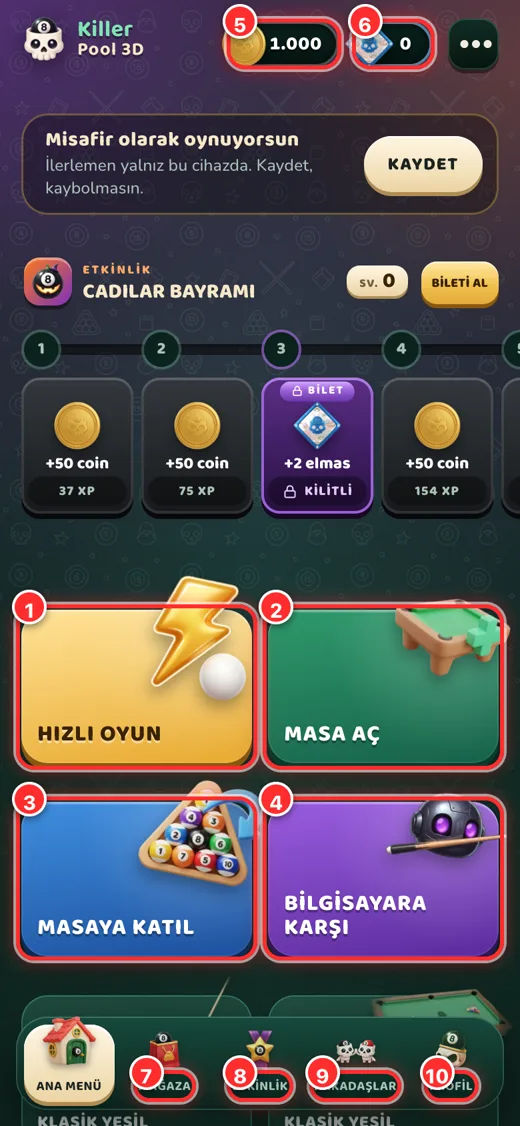
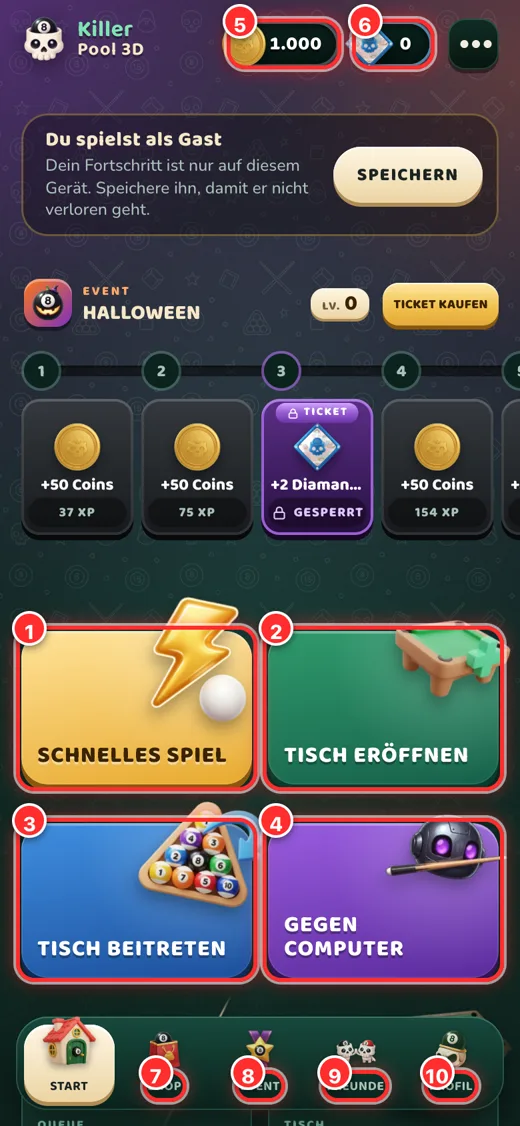
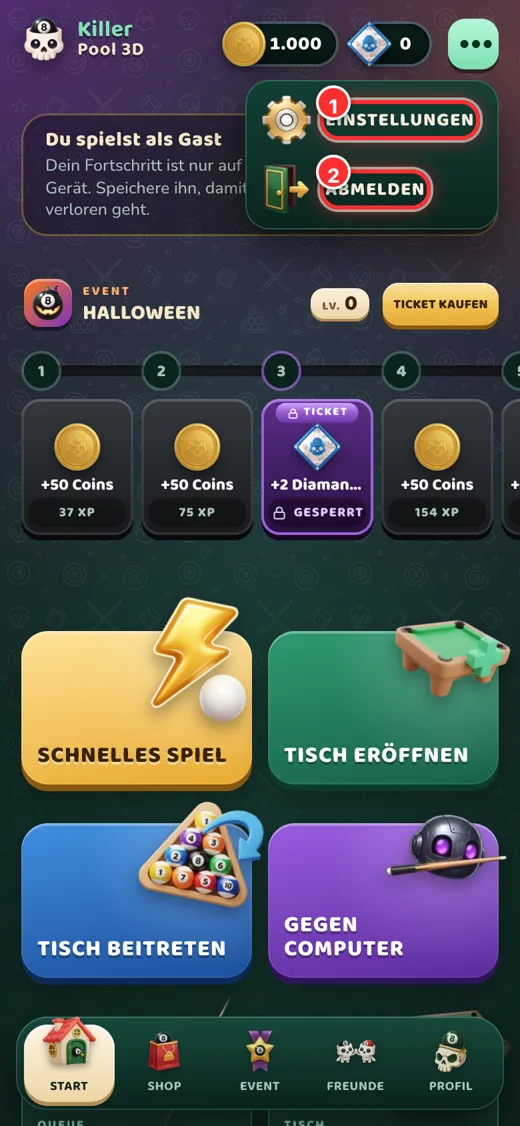
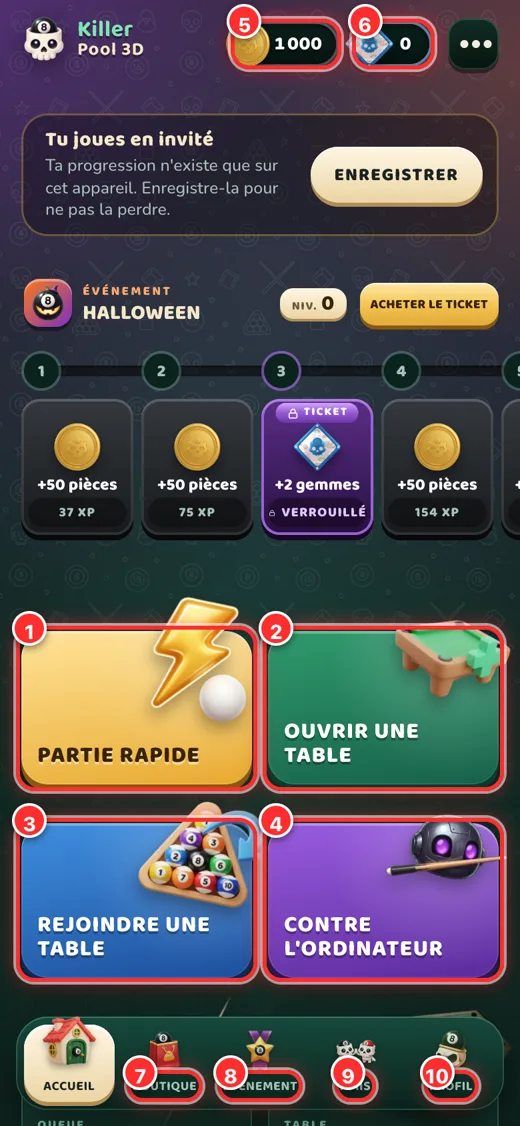
- Quick play: you are seated at a suitable table within seconds.
- Open a table: set up your own table; choose lives, entry and a password, and invite friends with a code.
- Join a table: enter a table with a code from a friend.
- Play the computer: practice against the bot; no coins or opponents needed.
- Coin balance: the in-game money you earn by playing. Tap to see how to earn more.
- Gem balance: premium currency bought in the shop; opens the shop.
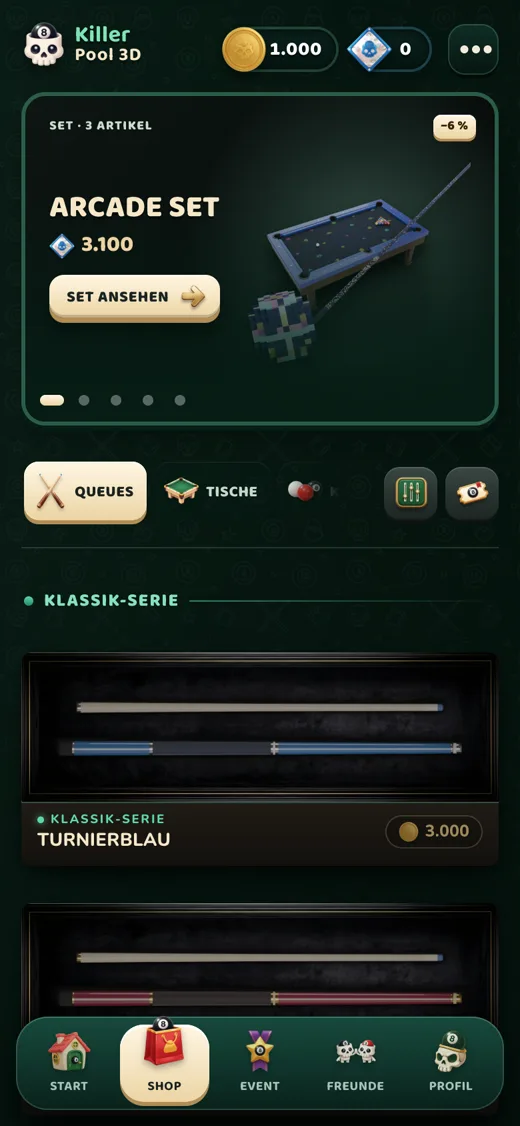
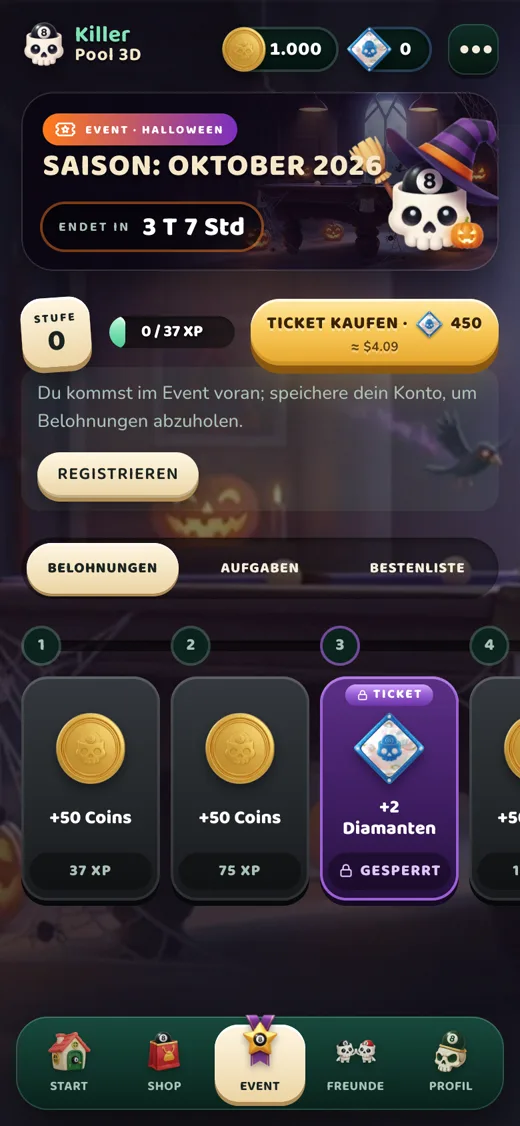
- Shop · 8 Event · 9 Friends · 10 Profile: bottom menu.
Killer rules
Everyone takes one shot in turn. Each player has a few lives; the last player at the table wins.
- 🎯 Pot a ball, keep your lifePot a red ball and your life stays. Pot nothing and you lose a life.
- 🎱 Black 8 = +1 lifePot the black 8 to earn a bonus life.
- 🪙 Don’t touch the coin tower!Touch the coin tower in the middle and you lose all your lives and leave the table. The tower is not on the table for the opening shot.
- ⚪ White-ball foulPocketing the white or hitting no ball is a foul: you lose a life and the next player places the white anywhere.
- 🏆 The winnerPlayers with no lives leave the table; the last player takes the table’s prize.
Shooting and controls
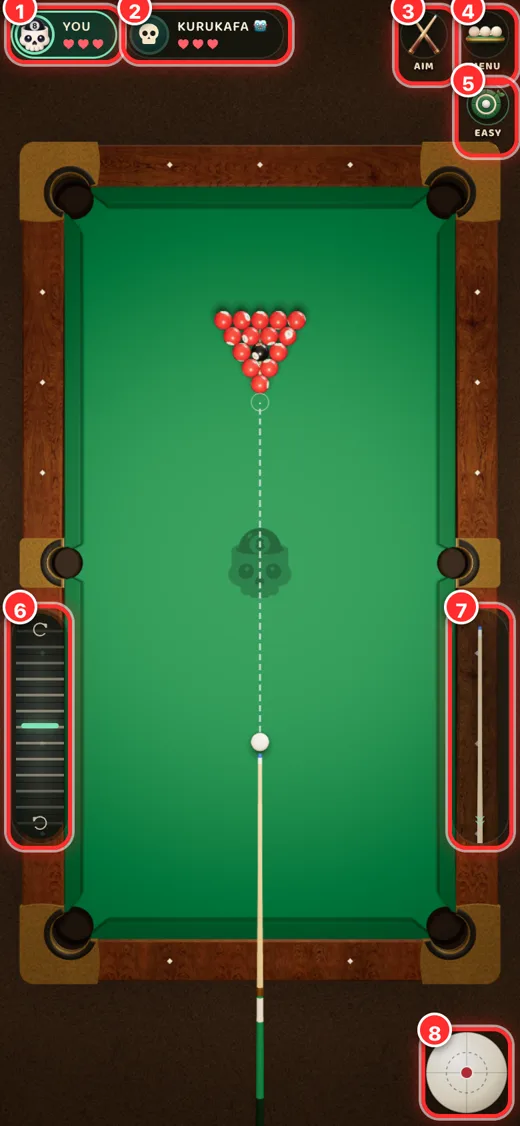
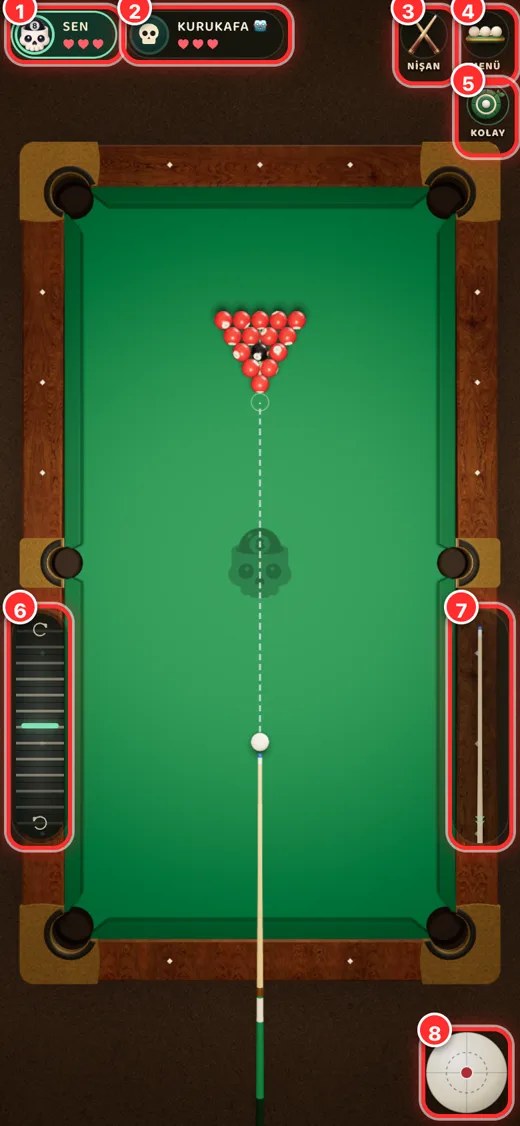
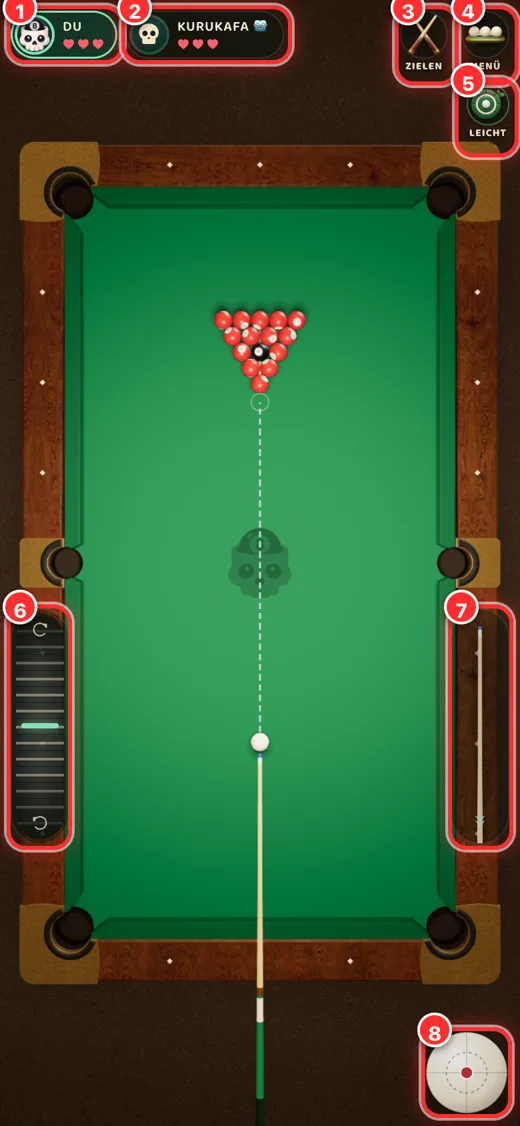
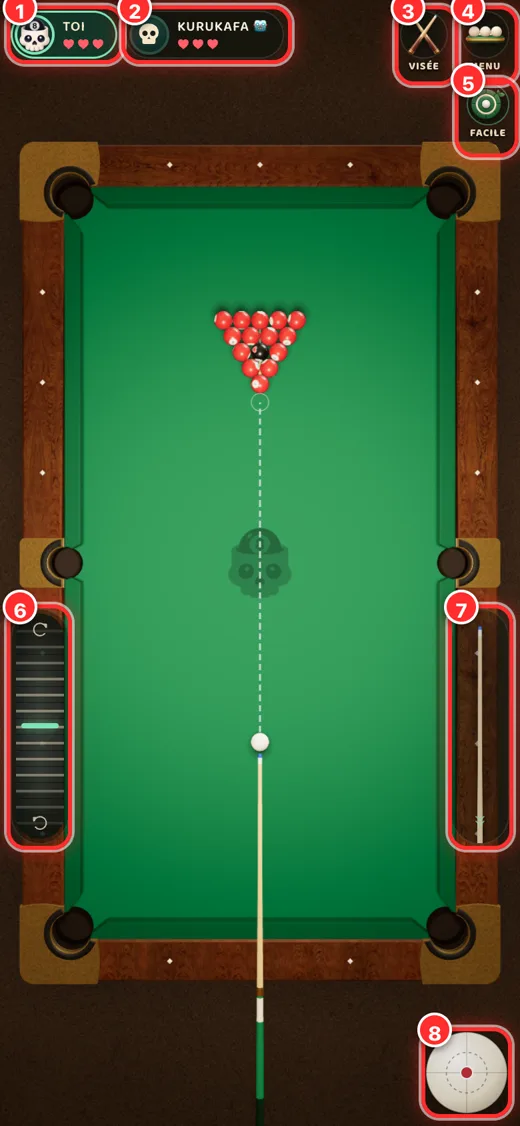
The numbers match the screenshot.
- Your card: your remaining lives (hearts) and the turn indicator.
- Opponent card: your opponent and their lives.
- Aim / View button: switch between the aim (first-person) view and the top-down view.
- Menu: leave the table, settings.
- Difficulty: in practice, Easy (aim line on) or Hard (no aim line, accurate bot).
- Left strip: fine aim adjustment; slide slowly for fine turns, quickly for big turns.
- Power strip: pull the cue back and let go to set the shot power.
- Spin ball: choose where to hit the white ball (top, bottom, side).
On a phone
- Drag on the table or tap a ball to aim. Dragging slowly fine-tunes the angle.
- Pull the cue on the right downwards and release at the power you want.
- Optionally add spin with the white ball at the bottom right.
On a computer
Aim with the mouse; click, pull back, release. Press 2 for the top-down view and 3 for the aim view; the wheel zooms while aiming.
Game modes
| Mode | What it does |
|---|---|
| Quick play | Seats you at a waiting table that matches your chosen mode, lives and entry; if none exists a new table opens and opponents take their seats as they arrive. The match starts by itself when the table is full. |
| Open a table | The host starts the match with “Start game” whenever they like; if the table fills up it starts by itself. Invite friends with a code or link. |
| Join a table | Enter a table with a code shared by a friend. |
| Play the computer | Practice against the bot. No coins or opponents needed. |
The entry is taken from everyone when the match starts and the whole prize goes to the winner. If you lose connection your seat stays until your turn; come back and tap “Continue game”.
Coins, gems and rewards
Coins
Earned only by playing: the daily gift, match rewards and event steps. Used for table entries and prizes. Never sold, cannot be bought with gems.
Gems
Premium currency you buy in the shop. Used for cosmetics (cues, tables, balls), emotes and the event ticket. Gems never convert into coins.
- Daily gift: claimable once per interval (registered accounts).
- Match rewards: coins for the winner and for players who took part.
Shop and event
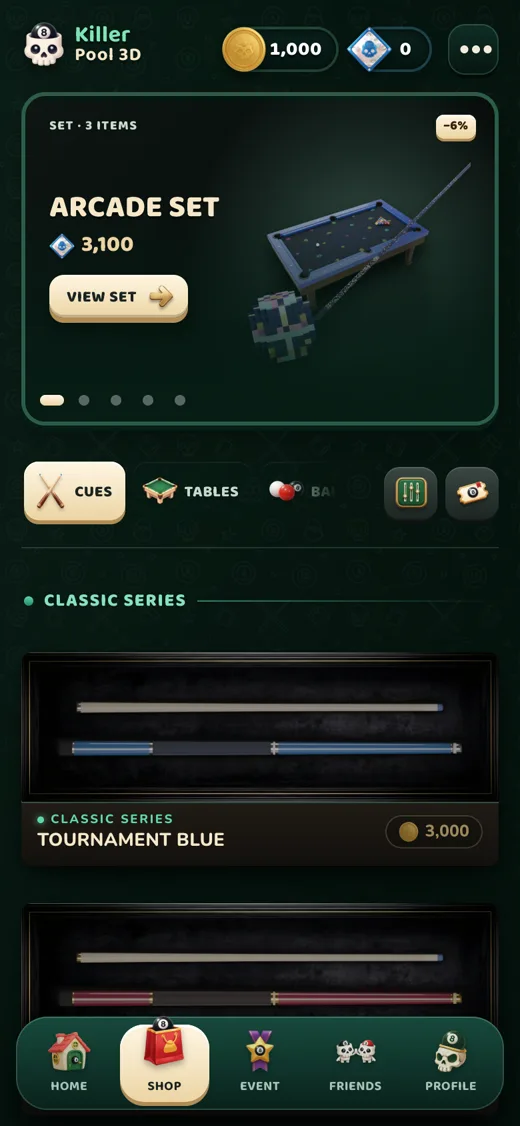
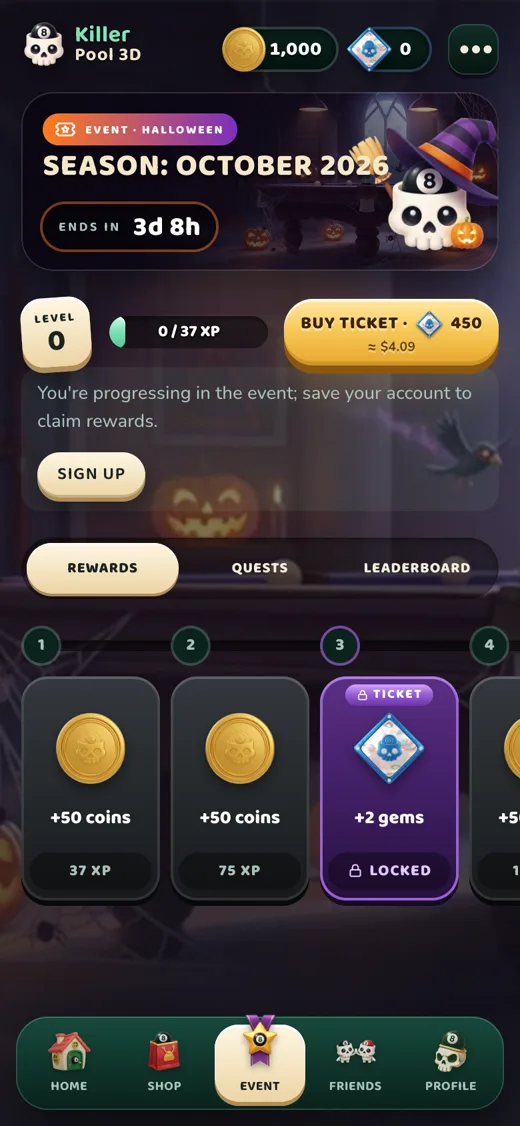
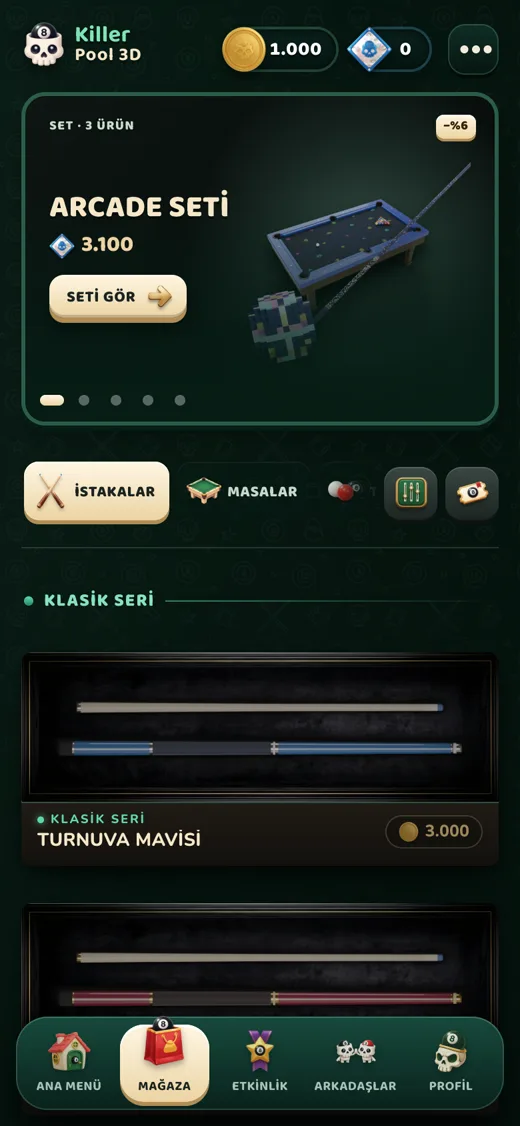
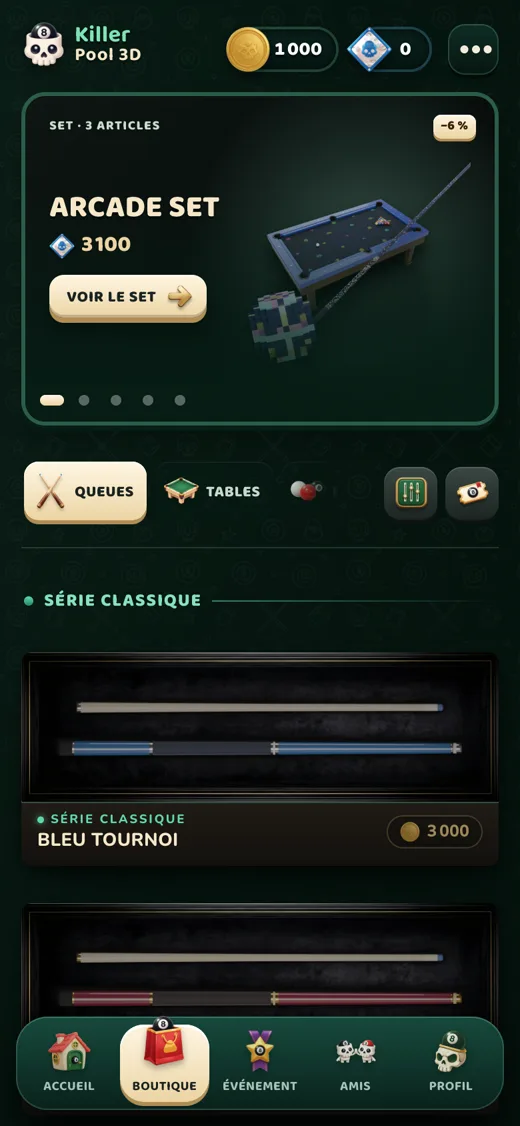
- Shop: cue, table and ball skins and emotes; gem packs. Skins are cosmetic only and never change how you play.
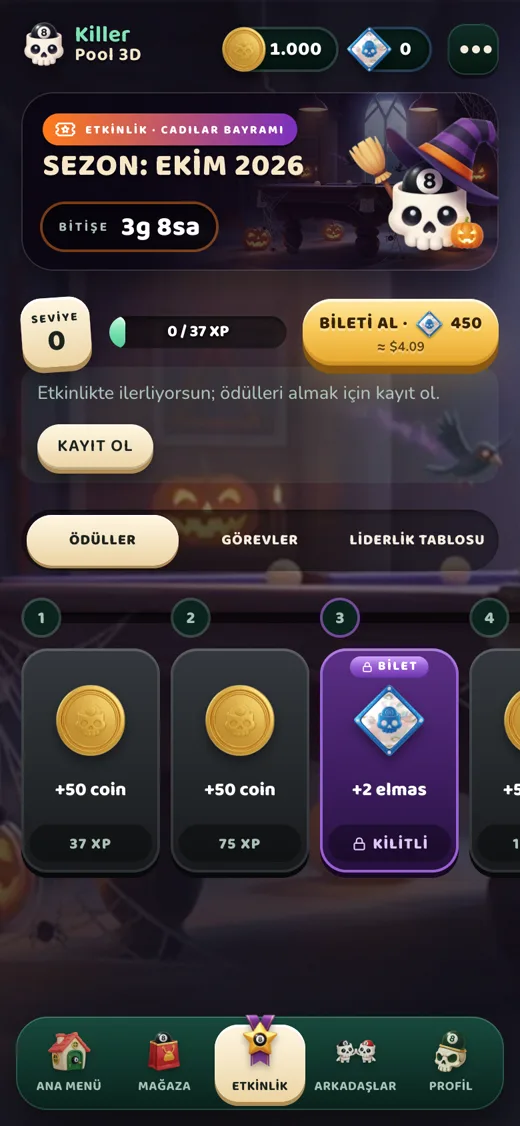
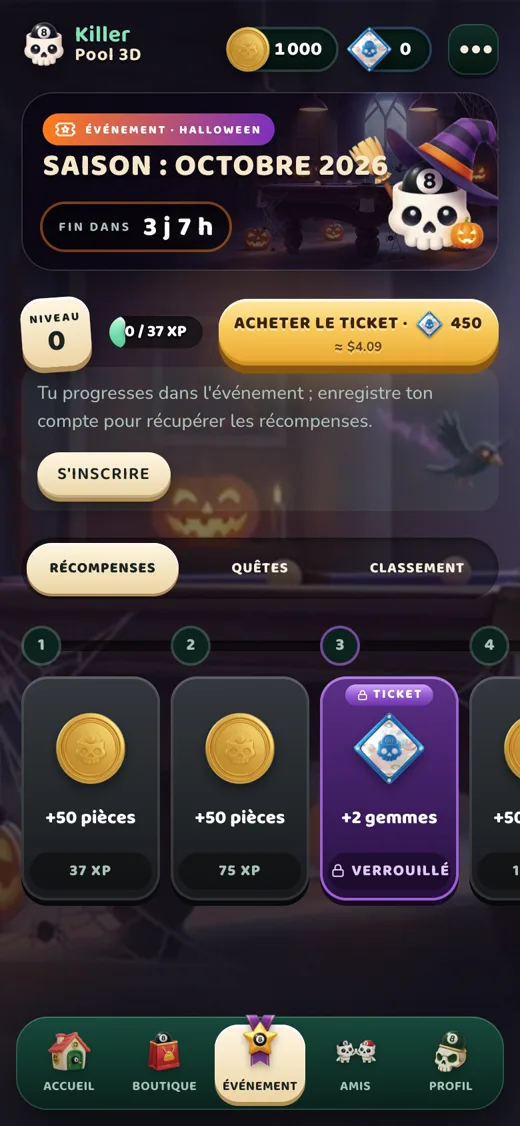
- Event: a new theme every month with 60 steps. Earn XP to unlock steps; the free track gives coins and a few gems, the ticket track adds exclusive skins. The ticket is bought with gems and the rewards are event-only.
- Everything you buy is tied to your account and stays when you switch devices.
Friends, chat and safety
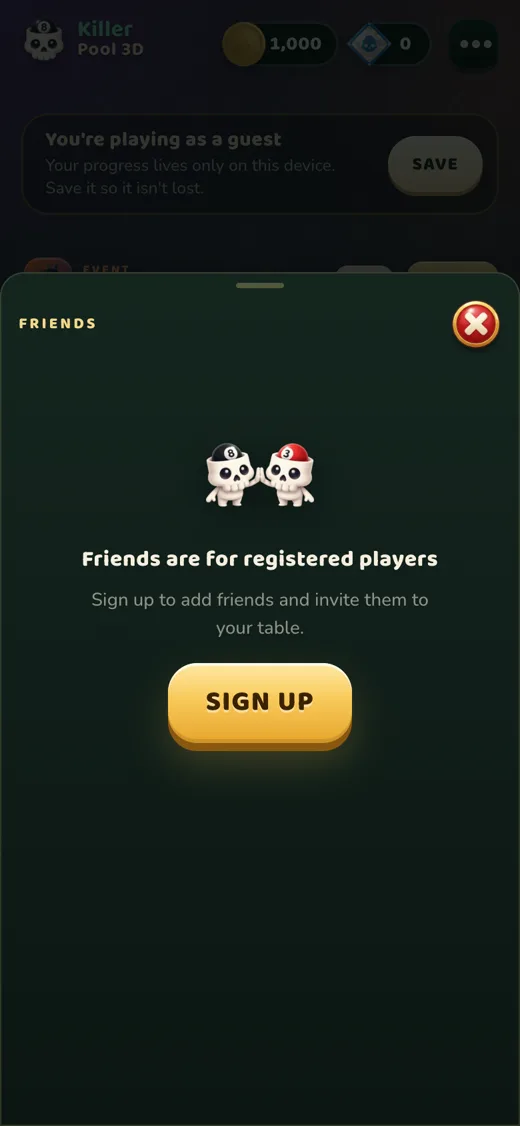
- Add friends: send a request by username; you become friends once it is accepted. You can also invite people from a table.
- Chat: only between mutual friends and only in the lobby, never during a match. You cannot chat with random players.
- Filter: messages containing profanity, links, emails, phone numbers or @handles are not sent. Messages are deleted after 30 days.
- Report / Block: report a player or message from the player card or the chat menu. A blocked player can’t send you requests, invites or messages and is not notified. Unblock under “Blocked” in the friends panel.
Settings and sound
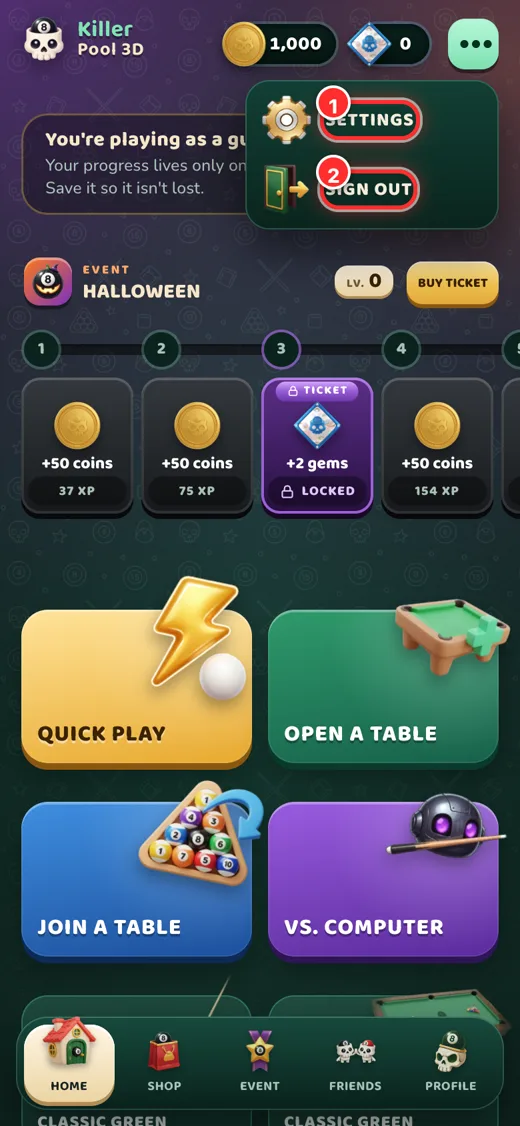
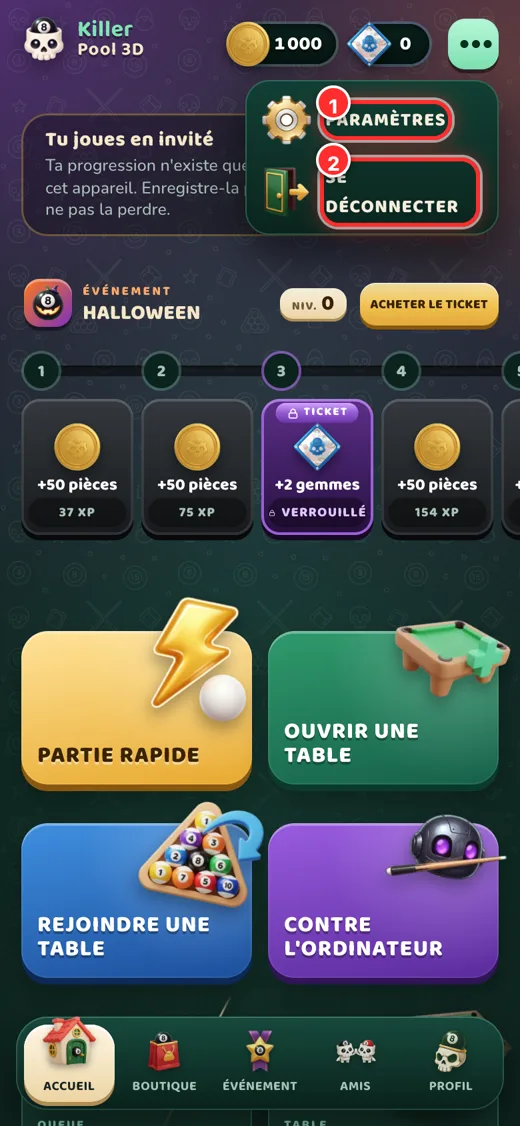
The ⋯ Menu button at the top opens Settings and Sign out. In Settings you will find:
- Effects, music and master volume
- Time warning (last 5 seconds of your turn)
- Event decorations and graphics quality
- Language: Türkçe, English, Deutsch, Français
- Replay the tutorial
- Settings
- Sign out
Managing your account
- Reset password: “Forgot password” on the sign-in screen; a link goes to your verified email.
- Username: can be changed from Profile after a waiting period. Inappropriate names are rejected.
- Guest to permanent account: tap Save on the home screen; your coins and skins are kept.
- Delete your account: see Delete account for a step-by-step guide with screenshots.
Troubleshooting
I can’t sign in
Check your username/email and password. If your email is not verified, tap the link in your inbox (and spam folder); trying to sign in sends a fresh link.
Google sign-in doesn’t work
Make sure the right Google account is selected on your device. If it keeps failing, sign in with email or send us a screenshot of the error message.
My gems didn’t arrive
Wait a few minutes and restart the app. If they are still missing, email contact@killerpool3d.com with the order time and your username and we will check the purchase record.
The game is slow or choppy
Lower the graphics quality in Settings, close background apps and use Wi-Fi or a good mobile connection; the game runs in sync online.
I lost connection. Was I kicked?
No. Your seat stays until your turn. Come back quickly and tap “Continue game”.
Supported devices
iPhone/iPad (current iOS), Android 7.0 or later, and modern browsers (Chrome, Safari, Edge, Firefox). 3D needs WebGL.
Couldn’t find what you need? Reach us on the Support page.